
Transport settlement without the manual reconciliation.
frameLOGIC TMS runs transport settlement from order to invoice: invoices generated from completed transports, mileage and fuel cost records, and freight profitability reports, the same numbers for the board and for accounting.
Invoices generated from completed orders, not from spreadsheets.
The invoicing module issues invoices automatically against transports that actually ran, including collective and periodic invoices covering many orders at once. Payments are entered manually or imported from external applications, and integration with finance and accounting systems closes the loop with automatic reconciliation. The process ends with documents dispatched to the client.
Book a demo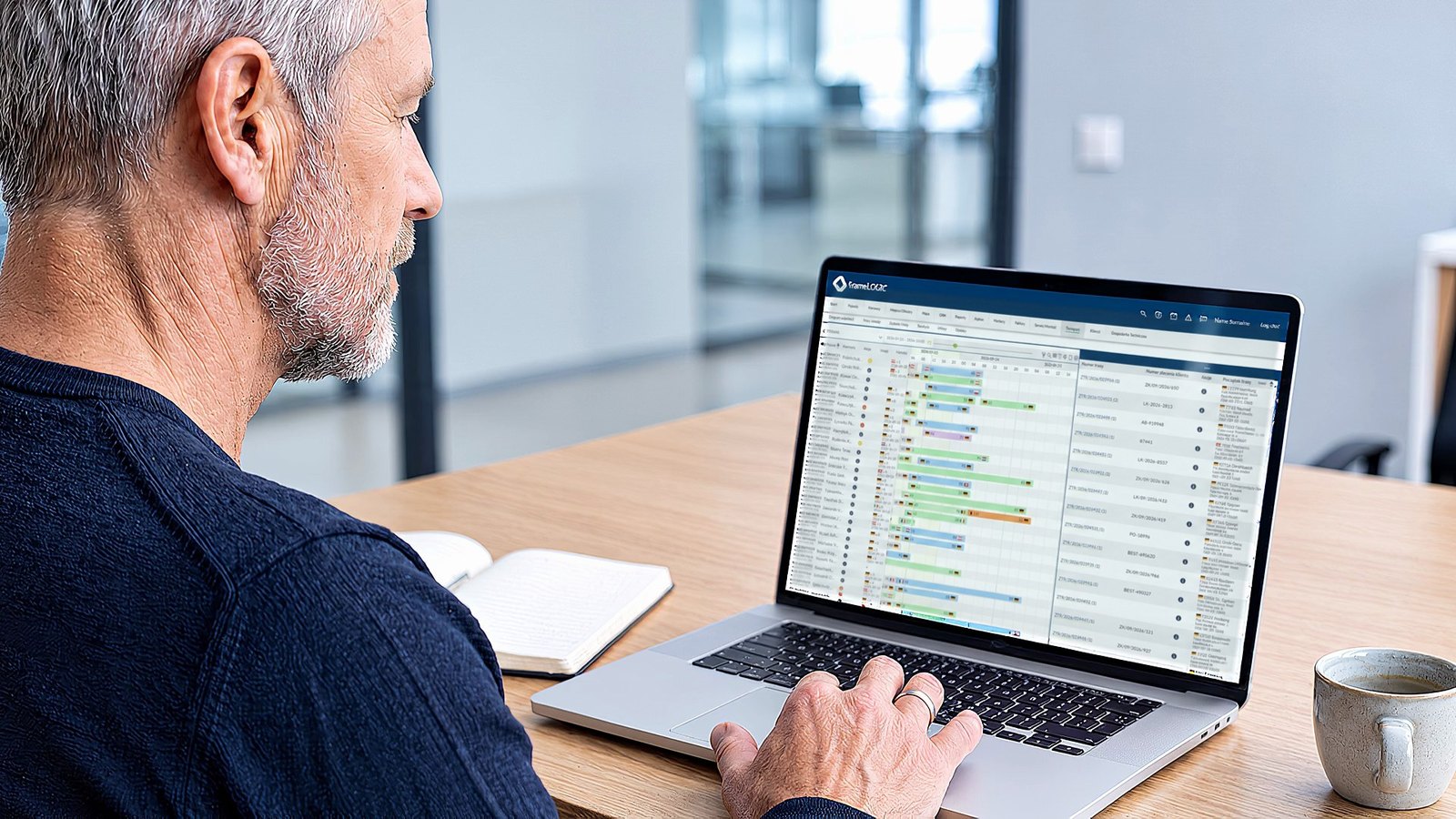
What the settlement module covers
-
Order-based invoicing
Invoices issued automatically from completed transports. Collective and periodic invoices cover many orders in a single document.
-
Delivery and automated collection
Invoices go to the customer straight from the system. Reminders for overdue invoices go out on their own, and the history stays on the order.
-
Accounting integration
Connection to finance and accounting systems: payment import and automatic reconciliation, with manual entry as the fallback.
-
Mileage and fuel records
Kilometres split into domestic and foreign, laden and empty. Refuelling and fuel / AdBlue records, with consumption calculated from tank levels, refuellings, and CAN readings, plus a supplement per tonne of cargo carried.
-
Freight profitability reports
Kilometres driven set against profit per order, with route-level cost analysis. Profitability calculated on real operating costs, not estimates.
-
Mobility Package pay
Automatic minimum-wage calculation per country and transport type, plus records of border crossings, loadings, and unloadings.
Precise invoices straight from the system, built on execution data.
- Route cardDomestic and international, loaded and empty kilometres, fuel and AdBlue: the real cost of the order.
- Order-based invoicingFrom completed, verified orders, including collective and periodic invoices.
- Automated collectionReminders for overdue invoices go out on schedule; the history stays on the order.
SAMPLE CALCULATION · FICTITIOUS DATA
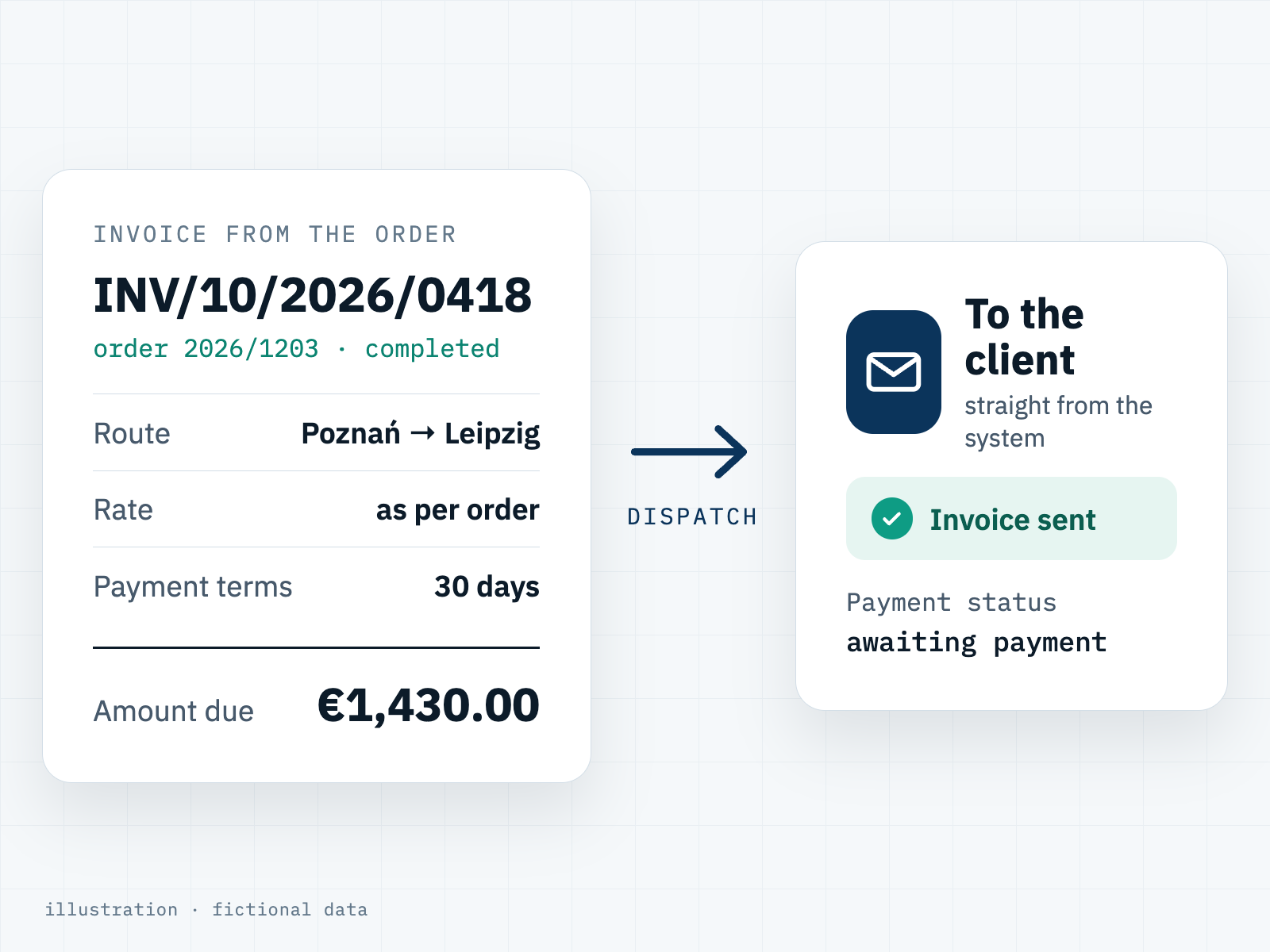
The invoice is built from order data
The system issues the invoice for the transport service from the completed order's data, with no retyping, including collective and periodic invoices covering several orders. It goes to the client straight from the system, and accounting decides when it is sent.
Receivables under control, without tracking due dates by hand
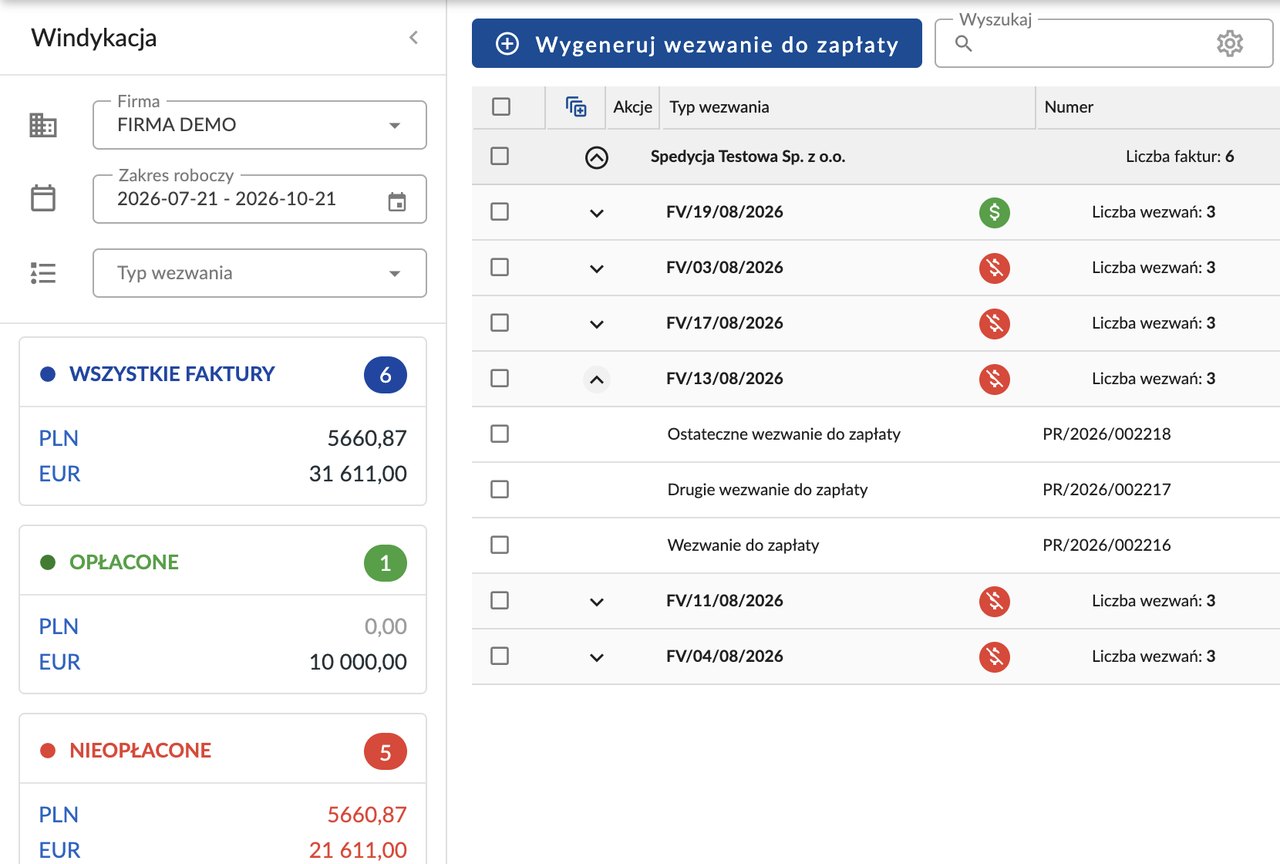
One view shows which invoices are paid, which are still open and which payment demands have already gone out. We rebuilt debt collection in frameLOGIC TMS from scratch, with a manual and an automated variant. Ask your account manager about the automated one.
- Manual: a payment demand is generated with one click. You can edit it, print it or send it by email.
- Automated: once a day the system checks invoices and sends a reminder before the due date, then a payment demand, a second demand and a final demand. Each stage has its own schedule and its own text, which you can prepare in several languages.
- Rules for selected customers: global rules can be overridden for selected customers: exclude them from debt collection, take them out of the automation, or give them their own schedule and texts.
- Sent from your company mailbox: demands go out from your company address, not from noreply. Invoices can be attached as PDFs, and the sales and business account managers assigned to the customer can receive a copy.
- All receivables in one view: the number and value of all, paid and unpaid invoices, split by currency. Below that: customer → invoice → demands with payment status, filters, bulk actions and export to Excel. The demand PDF carries your own header and footer.
Transport settlement – common questions
- 01
How does automated transport invoicing work?
Invoices are tied to completed orders: the system issues them from transports that actually ran, supports collective and periodic invoices for many orders at once, and dispatches the documents to the client. Payments are imported from external applications or entered manually.
- 02
How does automated debt collection work?
Once a day the system checks invoices and sends a reminder before the due date, then a payment demand, a second demand and a final demand. Each stage has its own schedule and its own text, which you can prepare in several languages. Demands go out from your company mailbox, not from noreply. For selected customers the global rules can be overridden: exclude them, take them out of the automation, or set their own schedule and texts. Ask your account manager about switching on the automated variant.
- 03
How does the system calculate freight profitability?
Each order's kilometres are set against its profit, route costs are analysed individually, and profitability is calculated on real operating costs. That makes it straightforward to price services better and drop unprofitable runs, and to feed conclusions back into route planning.
- 04
Does the module handle Mobility Package settlements?
Yes. It calculates driver minimum wage automatically per country and transport type and keeps records of border crossings, loadings, and unloadings for EU compliance.
More questions Fewer questions
- 05
Where does the fuel consumption data come from?
From refuelling records, tank fuel levels, and CAN readings, including AdBlue. The system calculates normative consumption with supplements, including one per tonne of cargo carried. For probe-level accuracy and drain detection, see fuel management.
- 06
Which stages of a transport order does the TMS support?
All three: transport planning (less manual dispatcher work, fewer empty runs), execution oversight (route optimisation and dynamic ETA), and settlement, meaning invoicing plus data on trips, fuel, and order profitability. It sits alongside the rest of your fleet management records.
- 07
Are there per-driver settlement reports?
Yes. The module reports kilometres driven broken down by driver, alongside the mileage records split into domestic, foreign, laden, and empty kilometres.